TaskForge
Manages Windows scheduled tasks from simple JSON files.
At a glance
- The problem
- Setting up Windows scheduled tasks by hand is slow and hard to repeat.
- What I built
- Each JSON profile defines one task. TaskForge creates, updates and removes the matching Windows tasks, and running it twice never creates duplicates.
- Proof
- Repeatable task setup, tested from day one.
- Python
- Windows Task Scheduler
- PowerShell
- to build and test
- 2 daysProject history, Apr 2026
- duplicate tasks when a profile is applied again
- 0How the tool is designed
Snapshots
Real screenshots of the app running on demo data. All names and figures are invented.
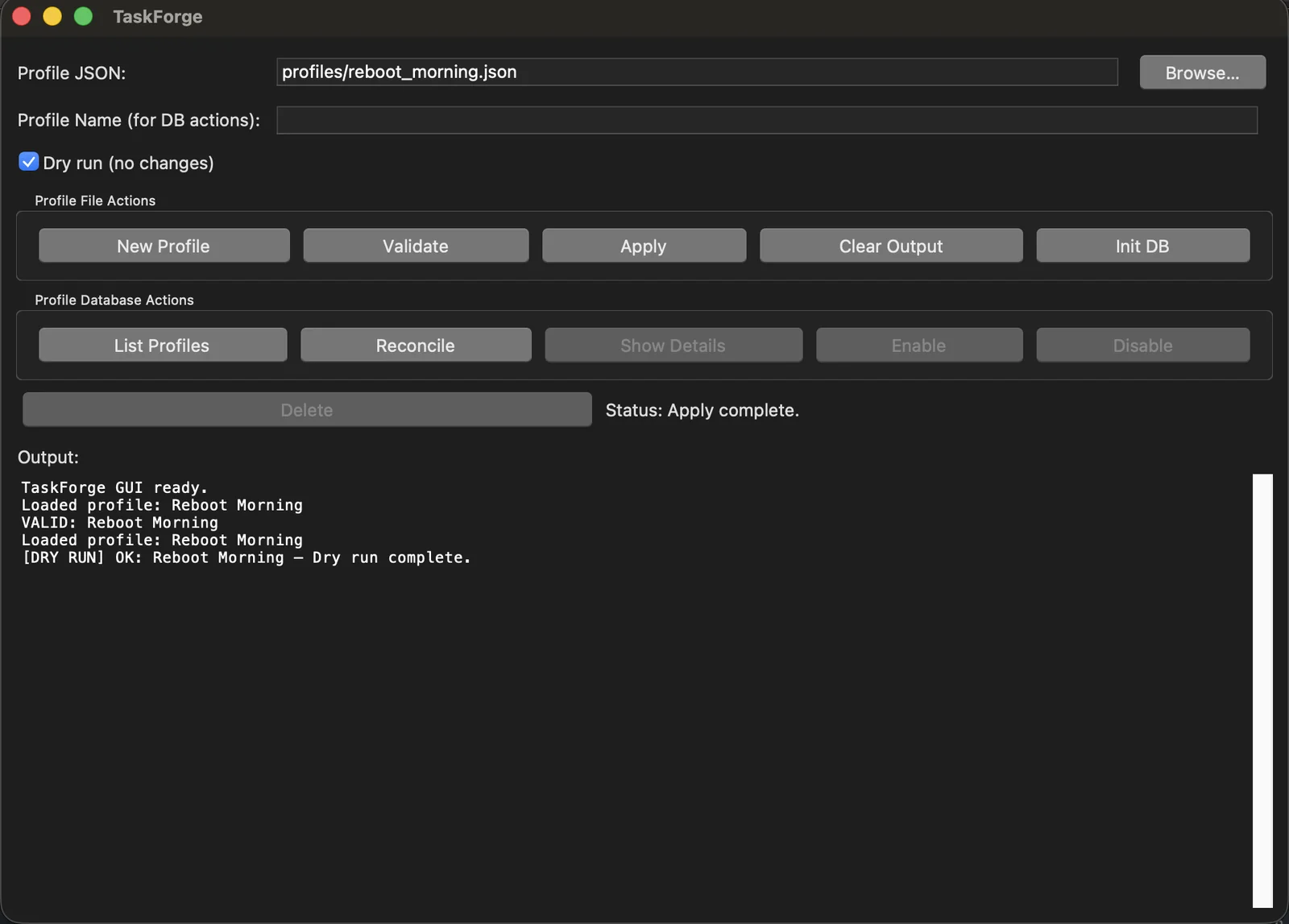
Screenshot · demo data The TaskForge window: validate and apply a profile file, with a dry-run switch and a live output log. 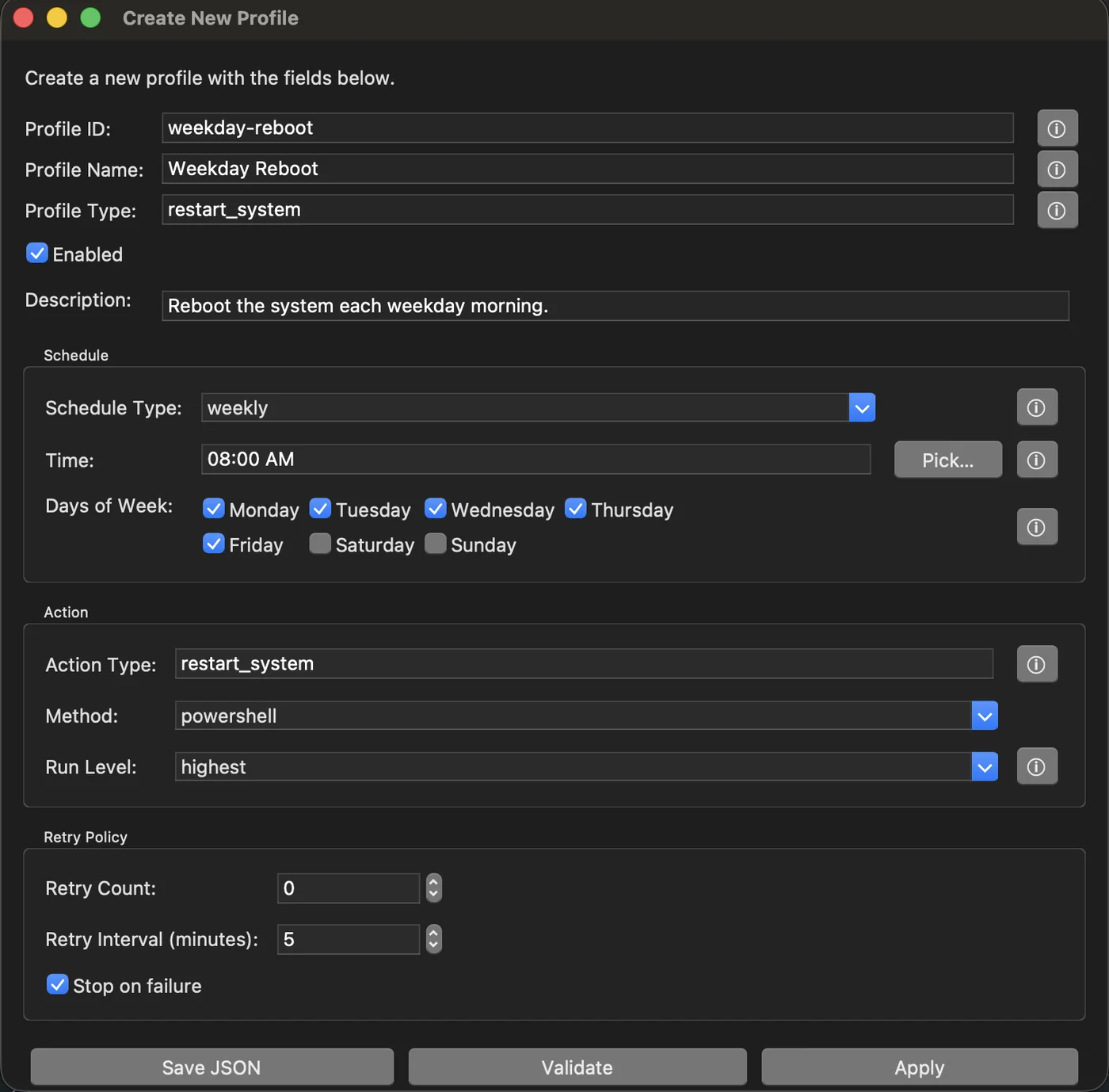
Screenshot · demo data The profile builder: schedule, weekdays, action and retry policy, saved as the JSON file TaskForge applies. 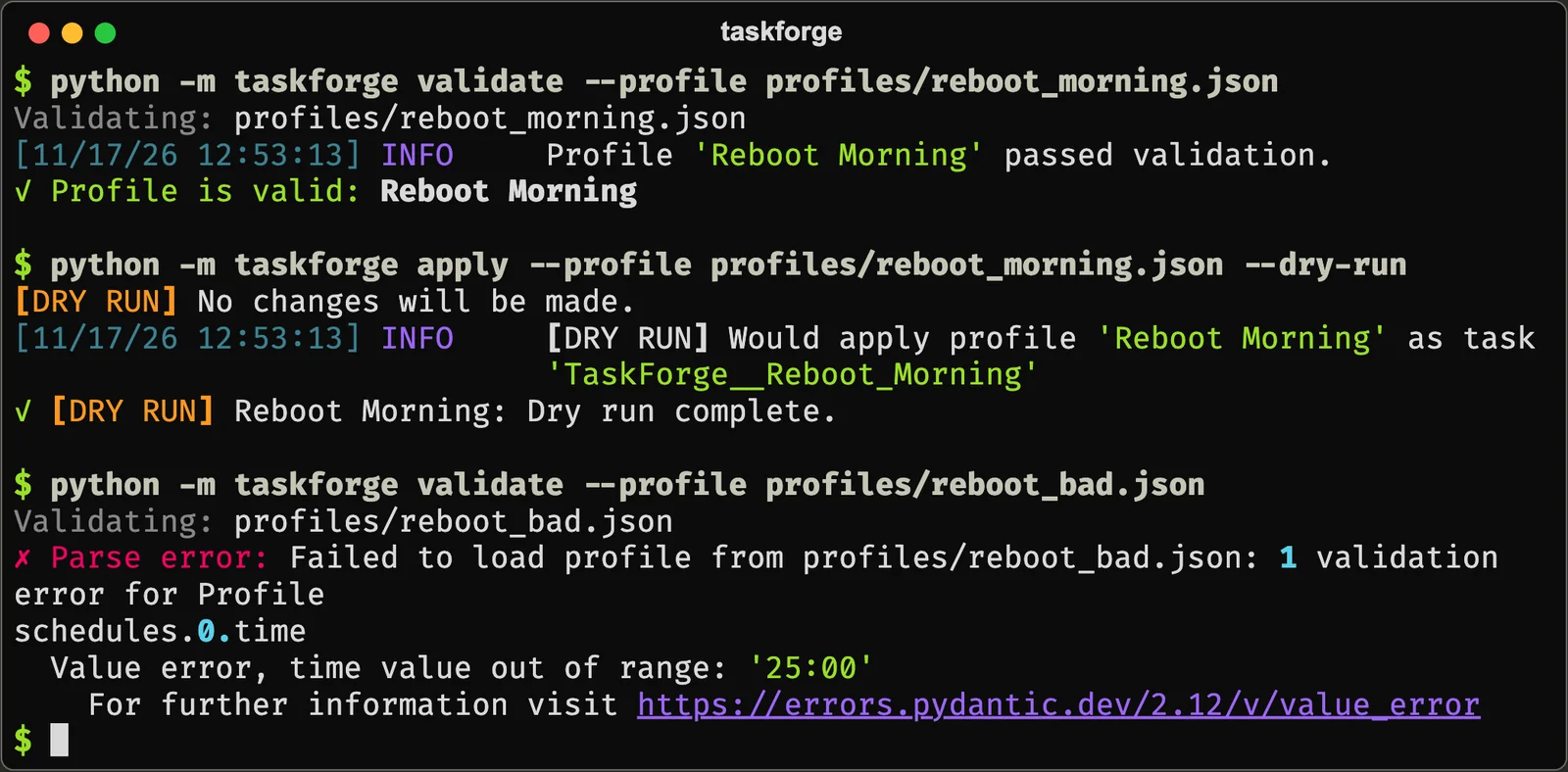
Screenshot · demo data The command line: a valid profile, a dry run that registers nothing, and a profile rejected with a clear error.
How it was built
Each milestone links to the commit or build behind it.
Core and tests13 Apr 2026
Core engine and tests on day one.
Modular profile engine
A modular Python engine for profiles and task lifecycles.
Each task definition stays readable and repeatable.
Unit test suite from day one
A unit test suite, added the same day as the core.
Behaviour is pinned down before it touches a real machine.
Safe first-run storage
Creates its own storage folders on first run, with a test.
Works on a fresh machine first time.
Running as the right account13–14 Apr 2026
Run tasks as the right Windows account.
Run-as accounts and logon types
Tasks can run as a named Windows account.
Automation gets exactly the permissions it needs.
SYSTEM account fallback
Falls back to the SYSTEM account when none is given.
Tasks register reliably without storing anyone's password.
Personal project. Source code is private for now.